Unfollow Assistant: Unfollow & block Instagram non-followers in Chrome
Find Instagram accounts that do not follow you back, protect the people you want to keep, and manage unfollows or blocks from your existing browser session.
Version 3.6.8 is published and reviewed by Google. One-click install for desktop Chrome.
Current release
What v3.6.8 actually does
Every capability below is available on the Free plan. Pro changes the daily allowance, not the feature set.
Complete-list scanning
Compares your completed followers and following lists before showing non-followers.
Learn more about complete-list scanningUnfollow and block
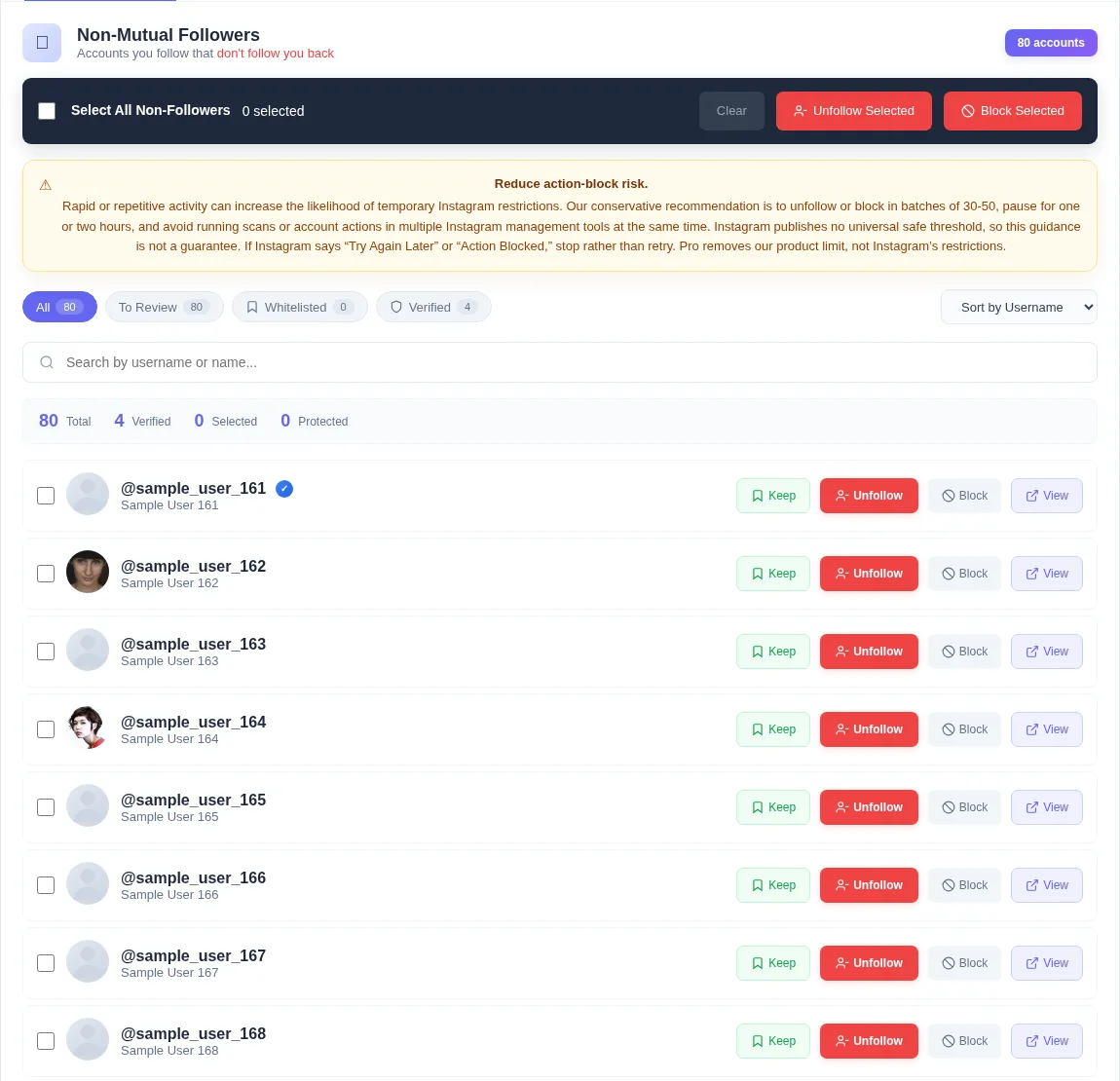
Review accounts individually or work through a selected group with deliberate delays.
Learn more about unfollow and blockKeep protection
Mark people you never want an unfollow or block run to touch.
Pause, resume, or stop
Stay in control of a running unfollow or block queue at every step.
Learn more about pause, resume, or stopLive progress and ETA
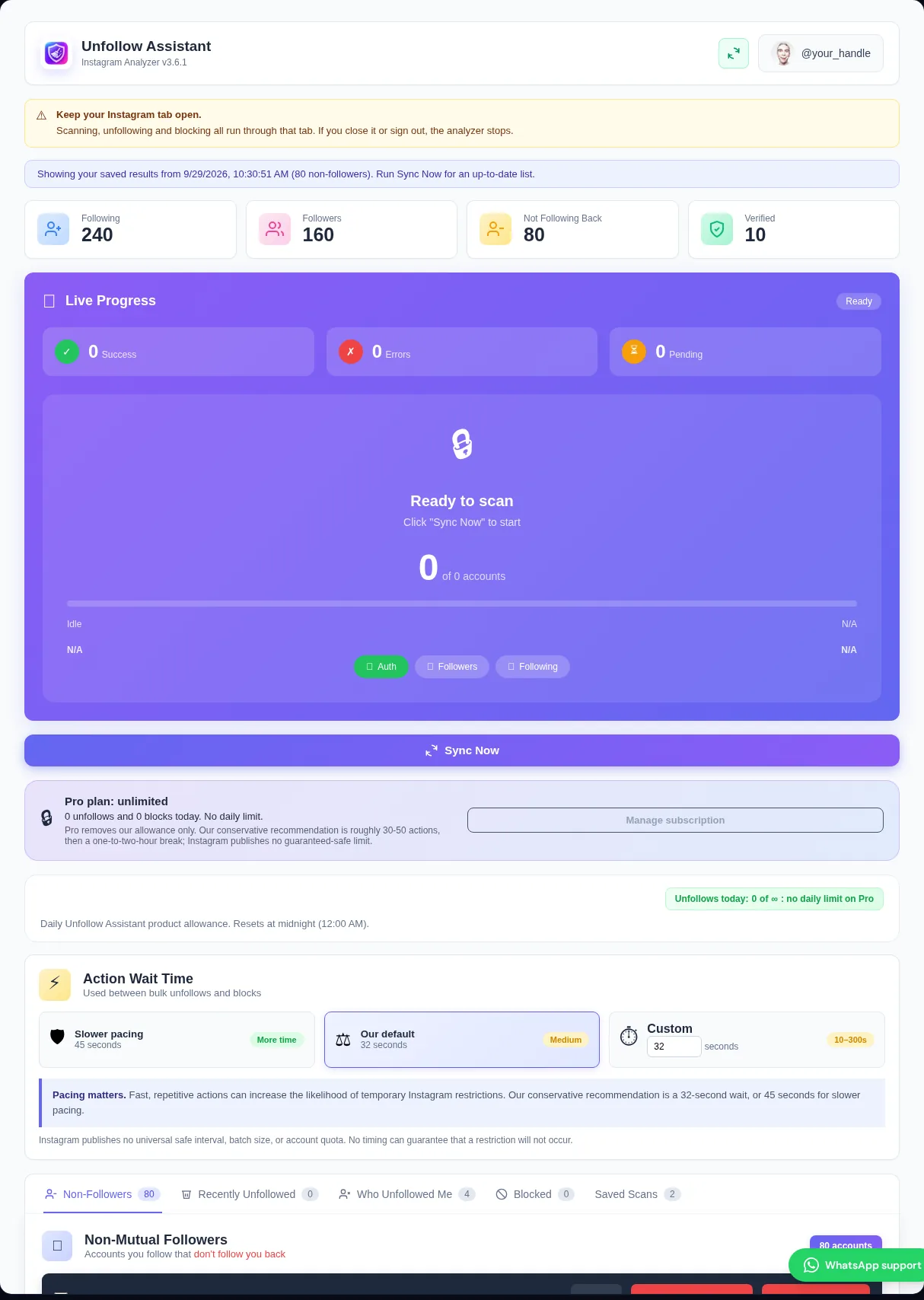
See the current scan stage, collected totals, estimated time, and next queued account.
Saved scan history
Keep your latest complete scans and compare them to see who unfollowed you.
Learn more about saved scan historyAction history
Review blocked and unfollowed accounts and export your saved data when needed.
Instagram response detection
Stops a run when Instagram returns a restriction instead of repeatedly pushing through it.
Optional account backup
Sign in to back up protected accounts and action history across computers.
Try before you install
See the extension in action
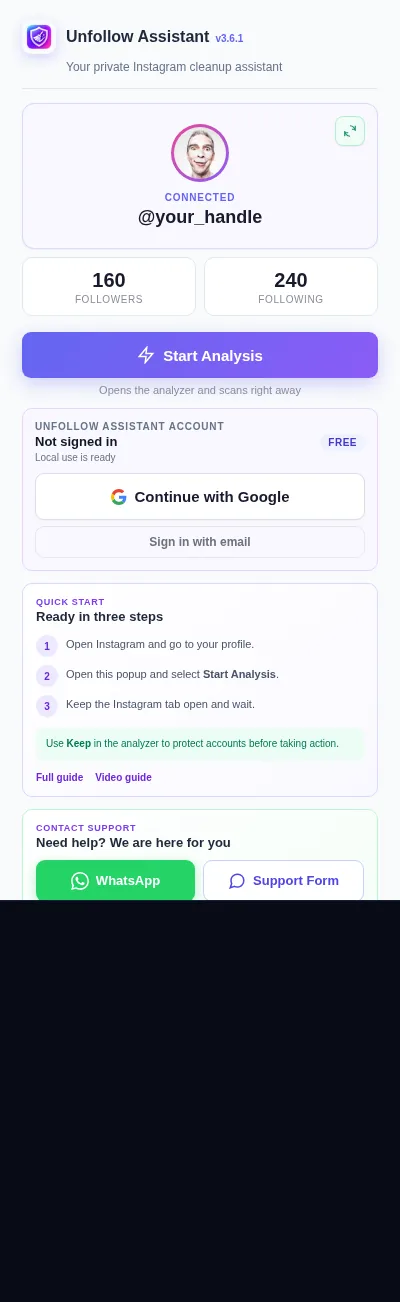
These are the real extension screens running on sample data. Nothing here touches Instagram.
Best used on a computer
Unfollow Assistant is a desktop Chrome extension, so the interactive preview is only available on a larger screen. Here is what it looks like in the meantime.
Local-first by design
Your Instagram session stays in Chrome
The extension reads your own followers and following lists through the Instagram session already open in your browser. It does not ask for your Instagram password or send Instagram cookies to our servers.
No pasted credentials
Sign in to Instagram normally in Chrome; never paste a password or session cookie into Unfollow Assistant.
Previous results are protected
An interrupted scan does not replace the last completed result or create an unreliable partial comparison.
Backup is optional
Signing in enables account backup for protected accounts and action history. Core scanning works without an Unfollow Assistant account.
Same tools, different allowance
Choose how much you need
All features, with 50 combined unfollow or block actions per day.
- Complete scans and non-follower results
- Unfollow and block
- Keep protection and run controls
- Saved scans, history, exports, and diagnostics
All the same features, without an Unfollow Assistant daily action limit.
- Unlimited unfollows and blocks
- Optional account-backed protected list
- Account-backed blocked and unfollowed history
- Responsible batch guidance remains active
Every Pro feature. Works out at £3.33 a month, billed yearly.
You save £19.89 a year vs paying monthly
- Unlimited unfollows and blocks
- Optional account-backed protected list
- Account-backed blocked and unfollowed history
- One payment, no monthly admin
Safe and secure payments with Stripe
We never see or store your card details.
Priced in GBP. Pay from anywhere with any major card. Your bank converts to your currency.
Pro removes our daily limit, not Instagram’s protections. Our conservative recommendation is batches of roughly 30–50 with an hour or two between them, but Instagram publishes no guaranteed-safe threshold.
Install v3.6.8 today
Unfollow Assistant is live on the Chrome Web Store: add it in one click.