
Choose the queue yourself
Automatic unfollowing begins only after you select and review eligible accounts.
Select reviewed accounts once, start a paced unfollow queue, and watch it work through the list while your Instagram tab remains open.
Automation should reduce repetitive clicking without hiding what is happening or taking control away from you.
Automatic unfollowing begins only after you select and review eligible accounts.
The queue shows a live countdown and does not fire every unfollow at once.
The pinned run bar identifies the current account and the next queued account.
Interrupt a run immediately and resume from the saved position when appropriate.
The queue verifies protection again before each unfollow, not only when selection begins.
Restriction responses halt progress instead of repeatedly pushing through them.
Video guide
Watch the complete installation and first-scan walkthrough before using the Automatic Instagram unfollow tool. It shows how to connect Instagram, complete both lists, review results, and keep the Instagram tab open while the extension works.
Step by step
You prepare the list and remain responsible for when the queue runs.
Load both followers and following through your open Instagram profile. Partial results cannot start an unfollow run.
Open Non-Followers, search the result, and apply Keep to every account you want excluded.
Choose individual accounts or Select All Non-Followers, then review the selection before starting.
Begin the queue and keep Chrome, the analyzer, and the Instagram tab available while it works.
Pause, resume, or stop as needed. If Instagram warns or limits the account, stop and wait before continuing.
Use the sample extension to inspect the queue bar, countdown, account states, selection tools, and safety messages.
Unfollow Assistant is a desktop Chrome extension, so the interactive preview is only available on a larger screen. Here is what it looks like in the meantime.
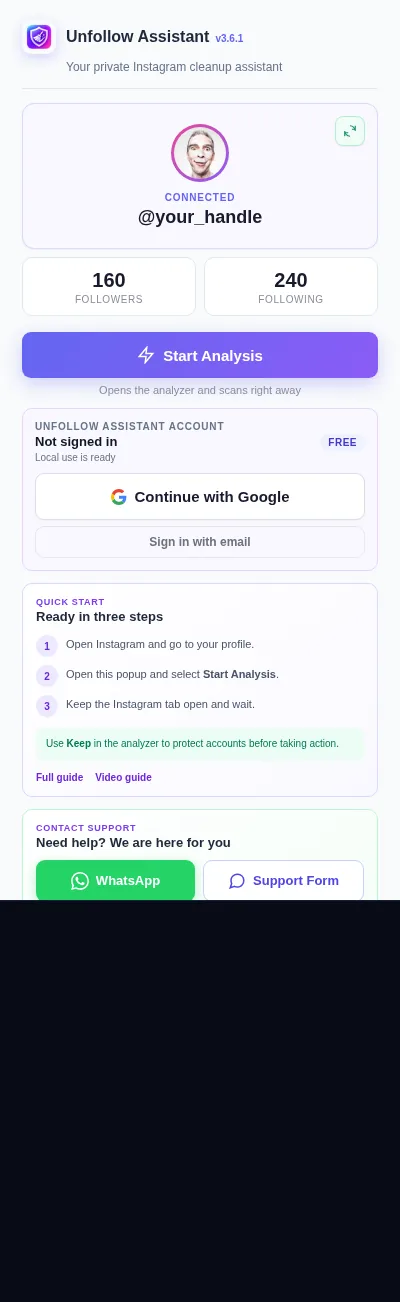
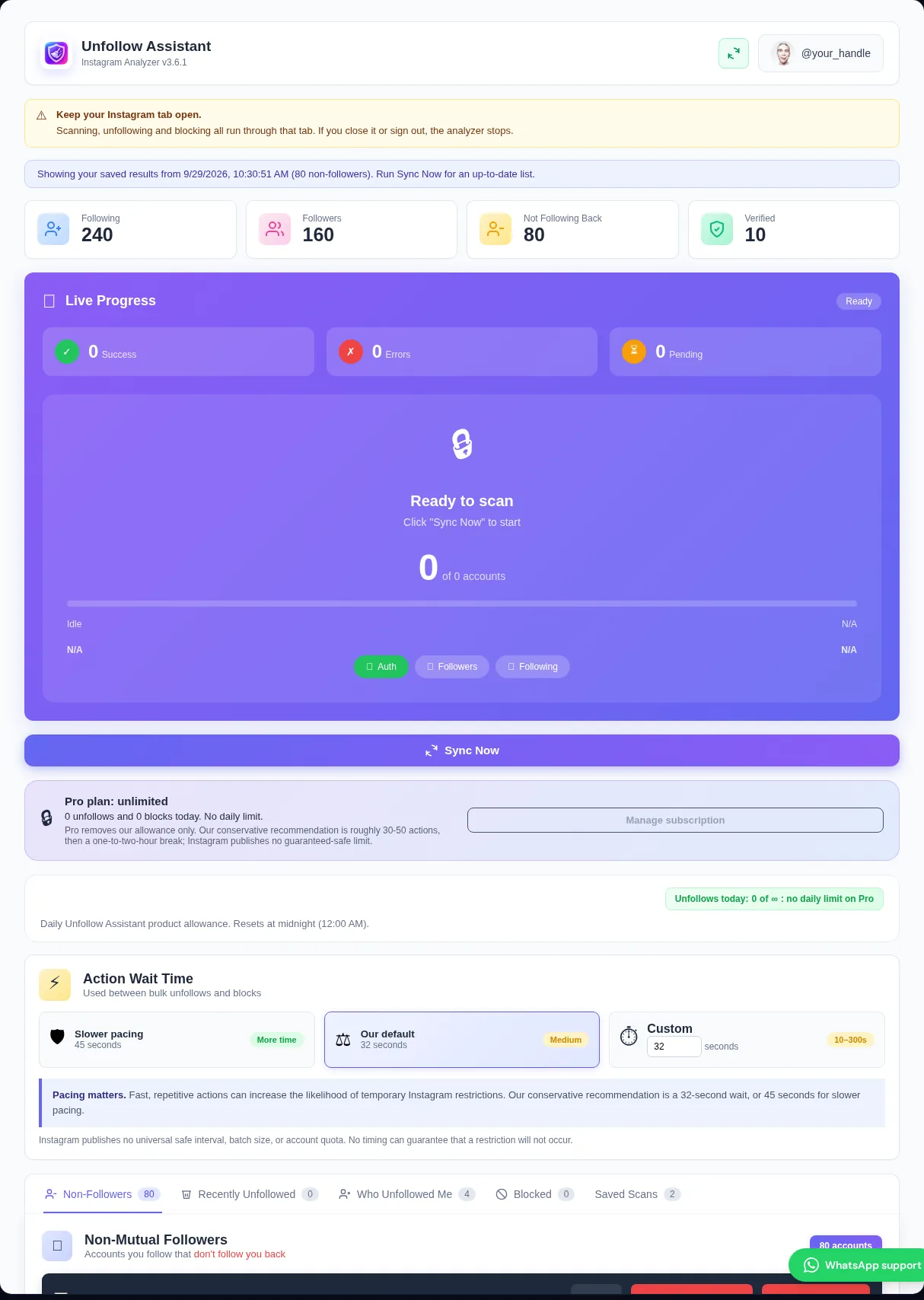
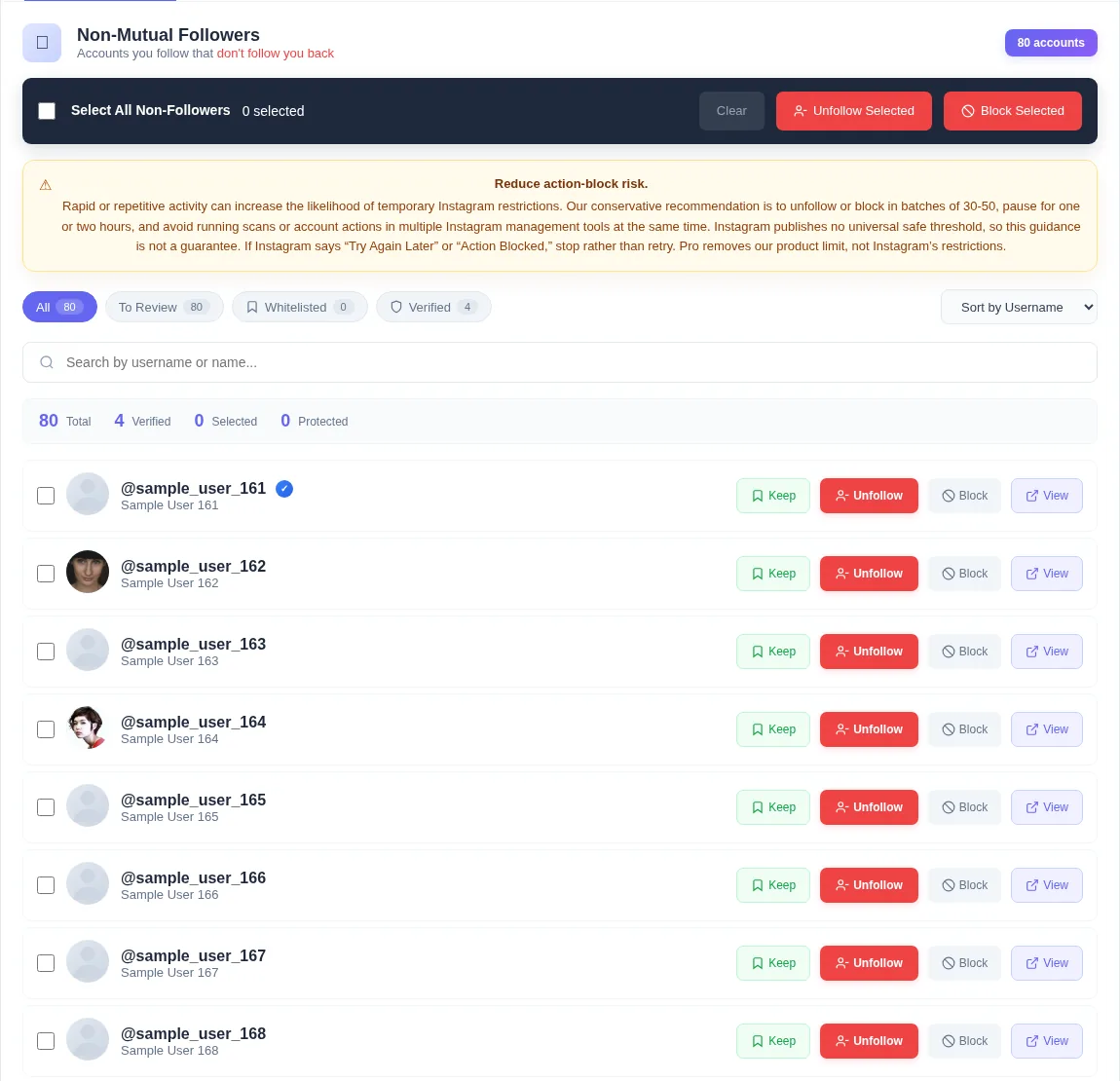
Some services describe remote, overnight, or scheduled account access as automatic unfollowing. That approach requires another system to act without you watching. Unfollow Assistant does not work that way.
The queue runs only after you select accounts and press start. It uses your existing Instagram tab, and the tab must remain open. Closing the computer or removing the active session prevents the queue from continuing.
The automatic Instagram unfollow tool shows which account is being handled, which account comes next, and how long remains before the next action. A successful row updates so the same account is not treated as pending.
Pause keeps your place. Resume continues from that position. Stop ends the current run. Queue state is saved so an interrupted session does not need to be guessed or reconstructed from memory.
Lists can change after selection. For that reason, Keep is checked immediately before each destructive action. If you protect an account before its turn, the queue skips it.
Previously blocked or unfollowed accounts are also excluded from eligible bulk work. This reduces duplicate requests and helps the visible list reflect completed actions.
Unfollow Assistant avoids claiming it can safely operate in the background after you close Instagram. It does not collect your password for remote login and does not promise invisible automation.
Keeping the process in your Chrome session provides a clear start, visible progress, manual controls, and a direct place to stop when Instagram pushes back.
Both reduce repetitive clicking, but the access model and controls are different.
| Comparison | Unfollow Assistant queue | Unattended remote bot |
|---|---|---|
| Starts when | You select accounts and press start | May run on a schedule or remote instruction |
| Instagram access | Your existing signed-in Chrome tab | Often needs remote account credentials or sessions |
| Visibility | Live account, countdown, result, and stop controls | May continue while you are not watching |
| Computer closed | Queue does not continue | May claim to continue remotely |
Instagram safety
A paced queue is not permission from Instagram to take unlimited actions. Our conservative recommendation is groups of roughly 30 to 50 with an hour or two between sessions, even if your Unfollow Assistant plan has no daily limit. Instagram publishes no guaranteed-safe threshold.
If Instagram displays an action block, stop the queue. Recovery time varies; check that normal actions work again before resuming with a smaller group rather than repeatedly testing the restriction.
Read the action-block guideInstall free, choose the accounts yourself, and keep pause, resume, and stop within reach.