
Block from completed lists
Choose accounts from followers, following, non-followers, or a filtered result after both lists finish.
Review followers, following, or non-followers and block selected Instagram accounts through a visible queue with Keep protection, typed confirmation, and stop controls.
Blocking is a strong action. The Instagram blocking tool adds review and confirmation before a larger selection can begin.
Choose accounts from followers, following, non-followers, or a filtered result after both lists finish.
Bulk blocking requires a clear typed confirmation before the queue can start.
Kept accounts are excluded from selection and checked again immediately before a block.
A successful row changes to Blocked and its destructive controls are disabled.
See the current and next account, then pause, resume, or stop the block run.
The Blocked view and action history help you see which accounts were completed.
Video guide
Watch the complete installation and first-scan walkthrough before using the Instagram block tool. It shows how to connect Instagram, complete both lists, review results, and keep the Instagram tab open while the extension works.
Step by step
Scan first, decide carefully, and block only the accounts you have reviewed.
Open your profile in desktop Chrome and run Start Analysis while keeping the Instagram tab open.
Review followers, following, or non-followers. Use search and filters to find spam, bots, or unwanted accounts.
Mark people you never want a bulk action to touch with Keep before making your selection.
Select the accounts, check the total and names, then type BLOCK to confirm the stronger action.
Follow each result and use pause, resume, or stop if you need to reconsider or Instagram returns a warning.
The sample analyzer shows selection, Keep controls, block actions, status changes, and the queue interface before you install.
Unfollow Assistant is a desktop Chrome extension, so the interactive preview is only available on a larger screen. Here is what it looks like in the meantime.
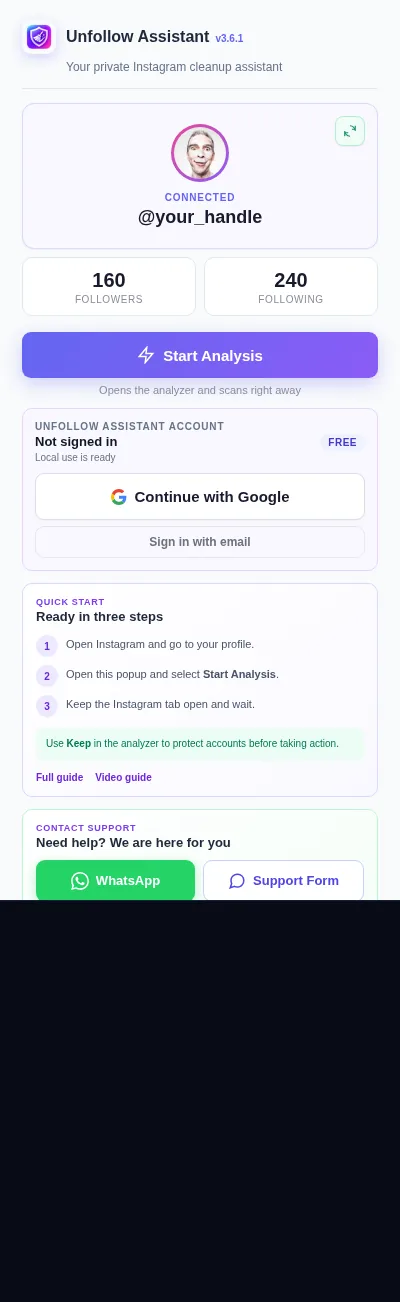
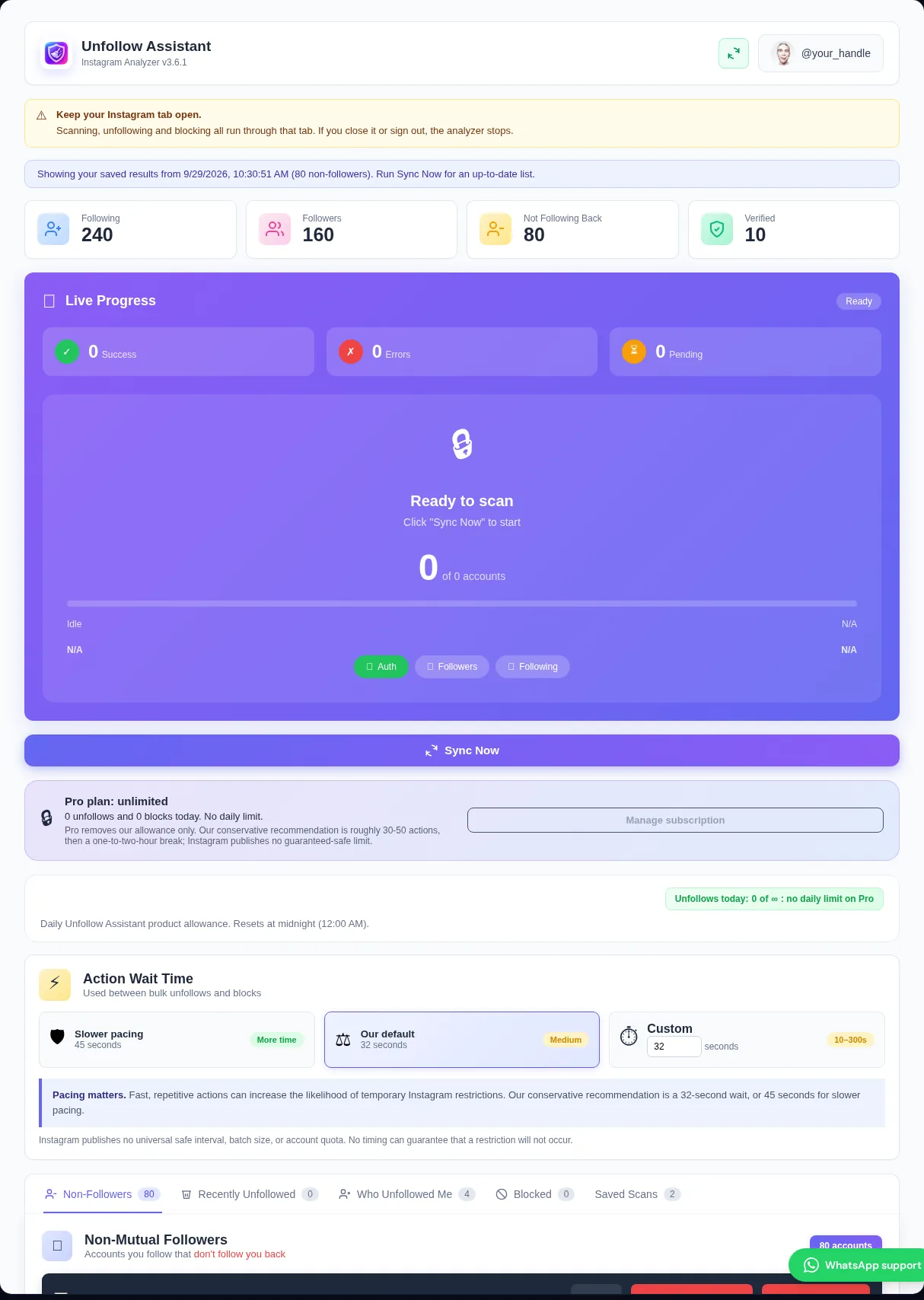
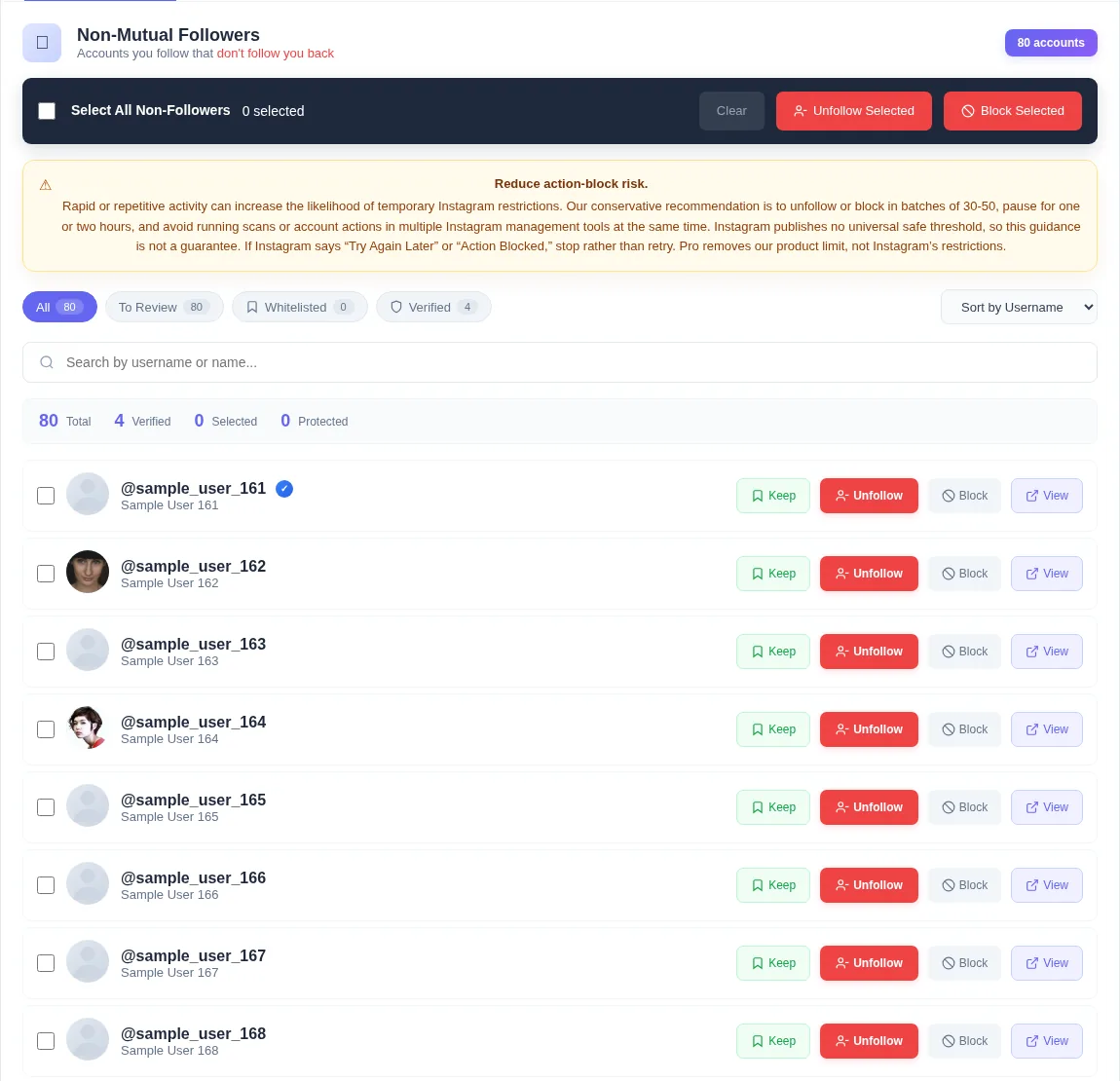
Blocking can help remove spam followers, persistent unwanted contact, obvious bots, or accounts you no longer want to find or interact with your profile. It is stronger than simply unfollowing someone.
A complete scan gives you a structured place to review accounts rather than jumping between profiles. You still make every selection and decide when the Instagram block tool starts.
Unfollowing stops you from following an account. Removing a follower takes that account off your follower list. Restricting changes how comments and messages are handled. Blocking is the strongest option and limits profile access and interaction according to Instagram's current behavior.
Unfollow Assistant currently provides unfollow and block actions. It does not present remove-follower or restrict as if they were the same action. Choose block only when that stronger result is what you intend.
The Instagram blocking tool requires the word BLOCK before a selected run begins. Keep accounts cannot be included, and completed blocked rows are disabled so they are not queued again.
There is no automatic unblock or one-click undo. Review usernames before confirming. If you later change your mind, use the action history to find the profile and manage it through Instagram.
Blocking requests use the Instagram account already signed in within Chrome. Unfollow Assistant does not ask for your Instagram password or run a remote server that signs into your account.
Keep works locally without an Unfollow Assistant account. Optional sign-in supports backup for protected accounts and successful action history across supported installations.
Use the least forceful action that matches what you want to achieve.
| Comparison | Block | Unfollow |
|---|---|---|
| Main purpose | Prevent further profile access and interaction under Instagram's rules | Stop seeing an account in your following list |
| Use for | Spam, harassment, bots, unwanted contact, or privacy cleanup | An account you simply no longer want to follow |
| Strength | A stronger account-level action | A lighter following-list action |
| Undo | Unblock manually through Instagram | Follow the account again manually |
Instagram safety
Instagram may restrict repeated block actions. Our conservative recommendation is batches of roughly 30 to 50 with an hour or two between them, and smaller groups for an account that has recently had restrictions. Instagram publishes no guaranteed-safe threshold.
If Instagram displays Try again later or another action warning, stop blocking and unfollowing. Recovery time varies; wait until ordinary Instagram activity works before trying a smaller batch.
Read the action-block guideUse a lighter action when you only want to stop following an account.
Build a complete review list before deciding whether to keep, unfollow, or block.
See scanning, protection, action queues, and warning recovery in one guide.
Install the extension, complete a scan, and decide which accounts genuinely need the stronger block action.