
A shorter review list
Start from accounts that do not follow you back, where most abandoned profiles end up.
Old brand pages, abandoned accounts, and profiles that never follow back make your following list noisy. Here is a careful way to find them, review them, and clean them up.
A tidier following list makes your feed more relevant and makes it easier to see who you actually engage with.
Start from accounts that do not follow you back, where most abandoned profiles end up.
Search by username or name and open any profile before deciding.
Protect friends and creators you still value, even if they post rarely.
Unfollow chosen accounts through a queue with waits, pause, and stop.
See which accounts were unfollowed and find them again later if needed.
Save the list with profile links to review in a spreadsheet.
Video guide
Watch the complete installation and first-scan walkthrough before using the tool to unfollow inactive Instagram accounts. It shows how to connect Instagram, complete both lists, review results, and keep the Instagram tab open while the extension works.
Step by step
Plan to spread a large cleanup over several days.
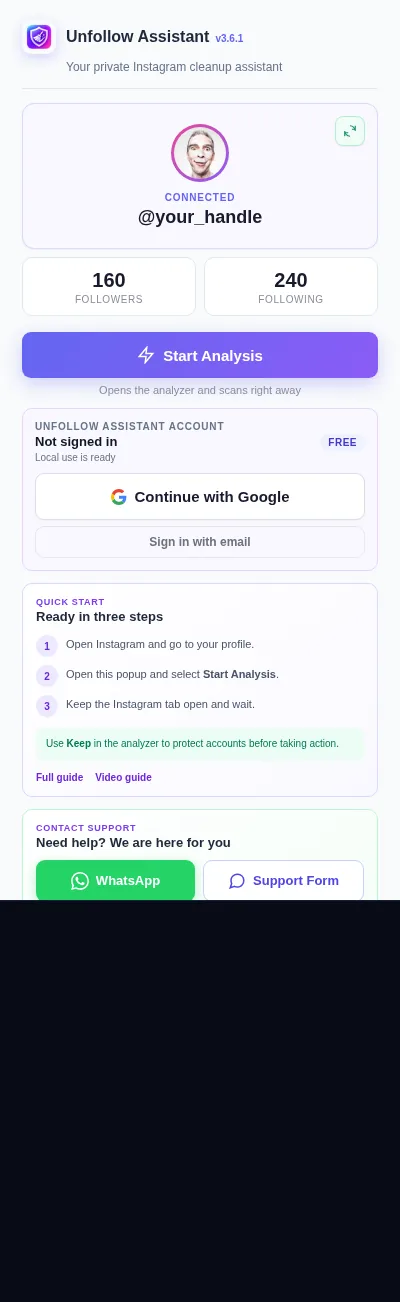
Add Unfollow Assistant to desktop Chrome and open your Instagram profile while signed in.
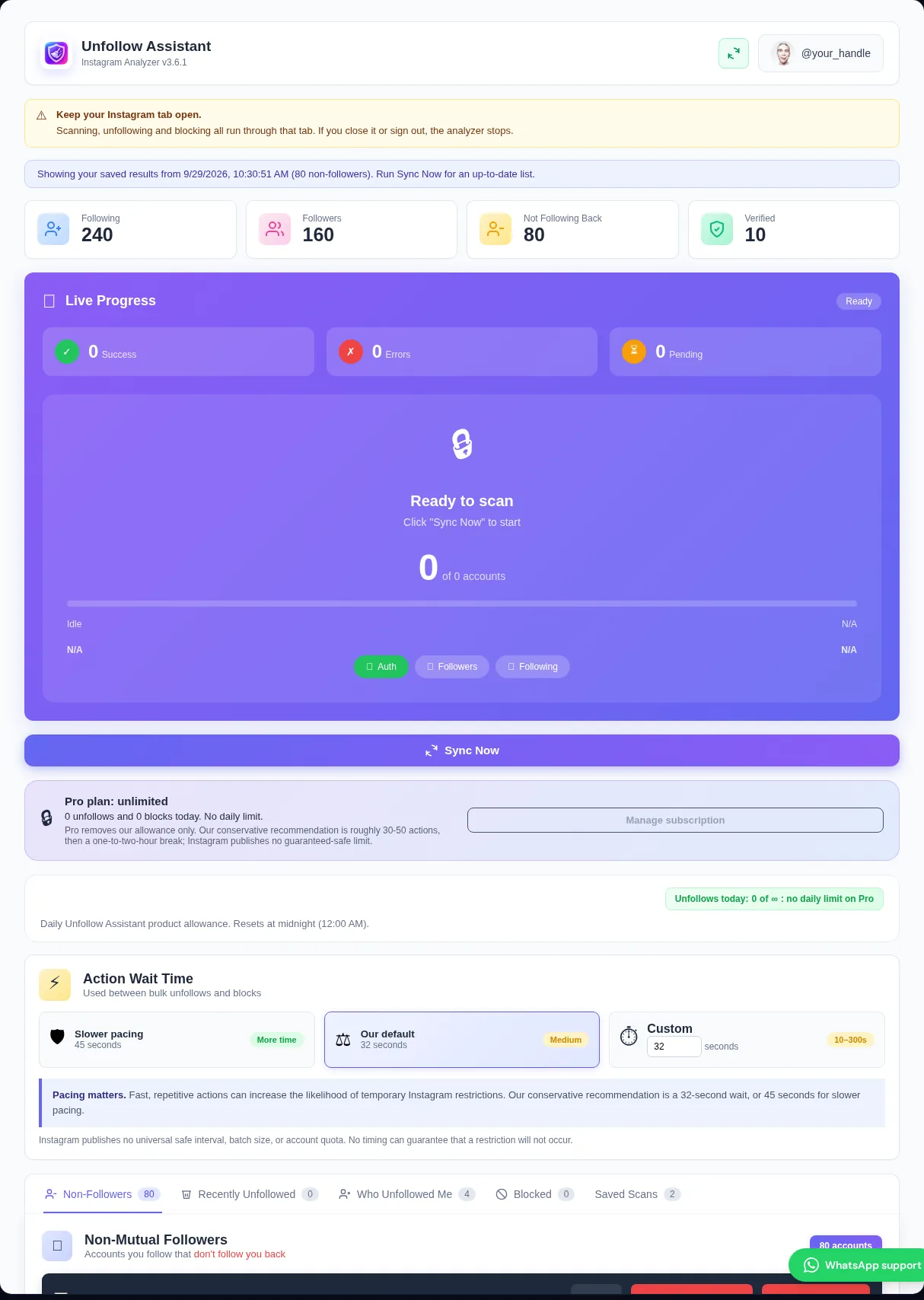
Click Start Analysis and keep the tab open until followers and following both finish.
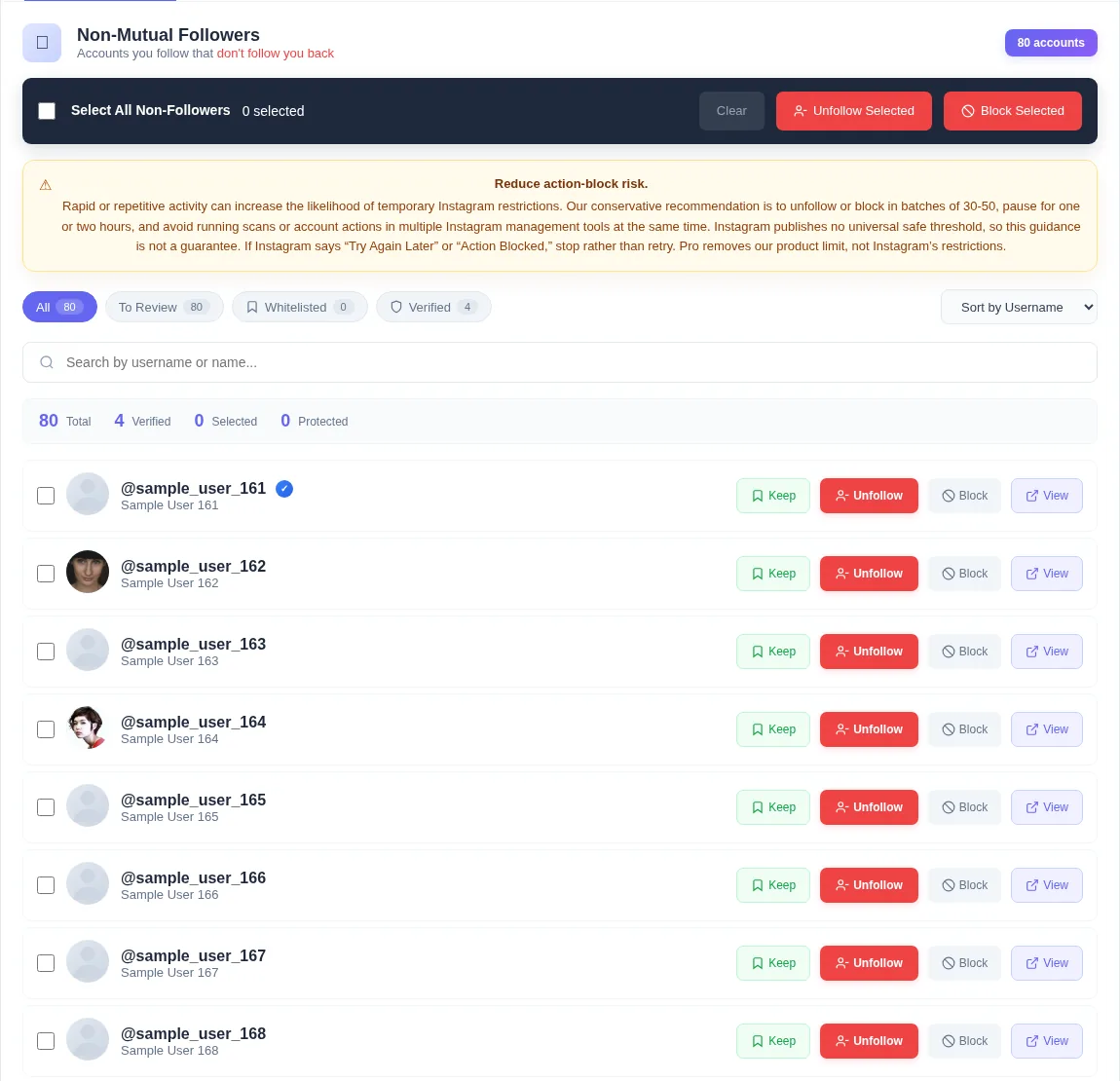
Open Non-Followers and look for accounts with no profile photo, old usernames, or brands that no longer post. Open a profile if you are unsure.
Mark anyone you want to keep with Keep before you select accounts.
Select a reviewed group and start the queue. Take breaks between batches.
The preview shows how search, Keep, and selection work before you touch your real account.
Unfollow Assistant is a desktop Chrome extension, so the interactive preview is only available on a larger screen. Here is what it looks like in the meantime.
An inactive account has stopped posting or has been abandoned. A ghost account is usually an empty or placeholder profile that follows people but rarely engages. Both can clutter the list of people you follow.
Instagram does not show a simple last active date for other accounts, so any cleanup involves your own judgment. Unfollow Assistant does not label accounts as inactive automatically. It gives you a complete, searchable list so you can decide.
Removing ghost followers means removing people who follow you, which Instagram handles on your profile's Followers list. Unfollow Assistant focuses on accounts you follow. It can unfollow them or, if you choose, block selected accounts.
Blocking removes an account as a follower too, so use it only for accounts you are sure about.
If you follow thousands of accounts, it is tempting to remove hundreds at once. Instagram can restrict accounts that act quickly, so a cleanup spread over several days is more comfortable than one rushed session.
Instagram safety
Our conservative recommendation is batches of roughly 30 to 50 with an hour or two between them. Instagram publishes no universal safe number, and no tool can guarantee an account will never be limited.
If Instagram shows Try again later or a similar warning, stop and wait before trying a smaller batch.
Read the action-block guideInstall free, run a complete scan, and review your list with Keep protecting the accounts you value.