Find Instagram non-followers
Compare complete followers and following lists to see accounts you follow that do not follow you back.
Find the Instagram accounts that do not follow you back, protect the people you want to keep, and unfollow selected accounts through a paced queue you can pause or stop.
A useful unfollow tool should do more than press an unfollow button. It should help you make the right list, prevent mistakes, and keep you in control of every action.
Compare complete followers and following lists to see accounts you follow that do not follow you back.
Mark friends, family, creators, and brands as Keep. Protected accounts are checked again before every action.
Prepare a larger cleanup in one click, then review and untick anyone you do not want to unfollow.
See the current and next account, follow the countdown, and pause, resume, or stop the run.
Only complete scans replace the previous result, so an interrupted list cannot create false non-followers.
See which accounts were successfully unfollowed and open their profiles later if you change your mind.
Video guide
Watch the complete installation and first-scan walkthrough before using the Instagram unfollow tool. It shows how to connect Instagram, complete both lists, review results, and keep the Instagram tab open while the extension works.
Step by step
The full workflow stays visible. Nothing runs until you select accounts and start it.
Add the extension from the Chrome Web Store on a desktop computer. Free includes every feature and 50 combined actions each day.
Sign in to Instagram normally in Chrome, open your profile, click the extension icon, and choose Start Analysis.
Keep the Instagram tab open while the Instagram unfollow tool loads followers and following. Incomplete scans are never used for actions.
Open Non-Followers, search the list, and mark every account you want to preserve with Keep before selecting anyone.
Select individual accounts or Select All Non-Followers, check the selection, and start the queue. Pause or stop whenever needed.
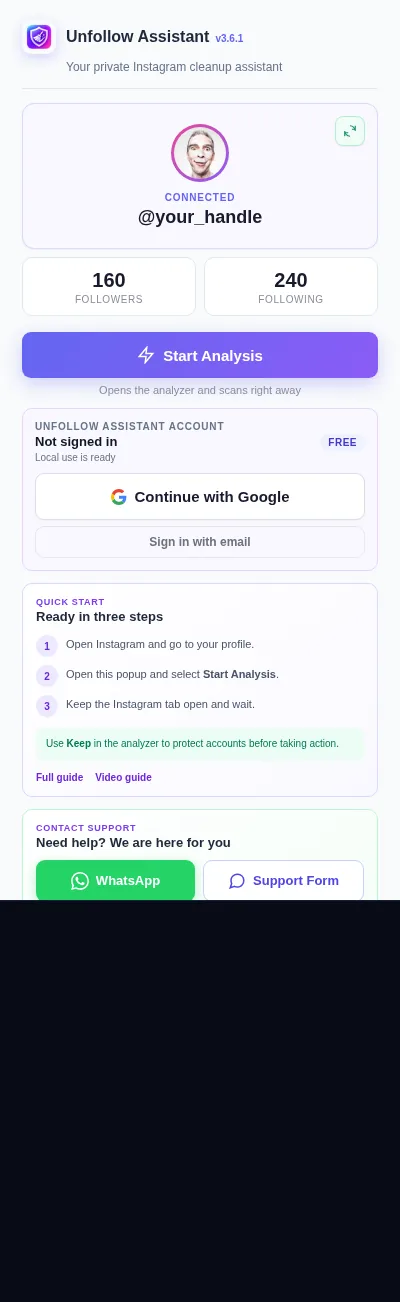
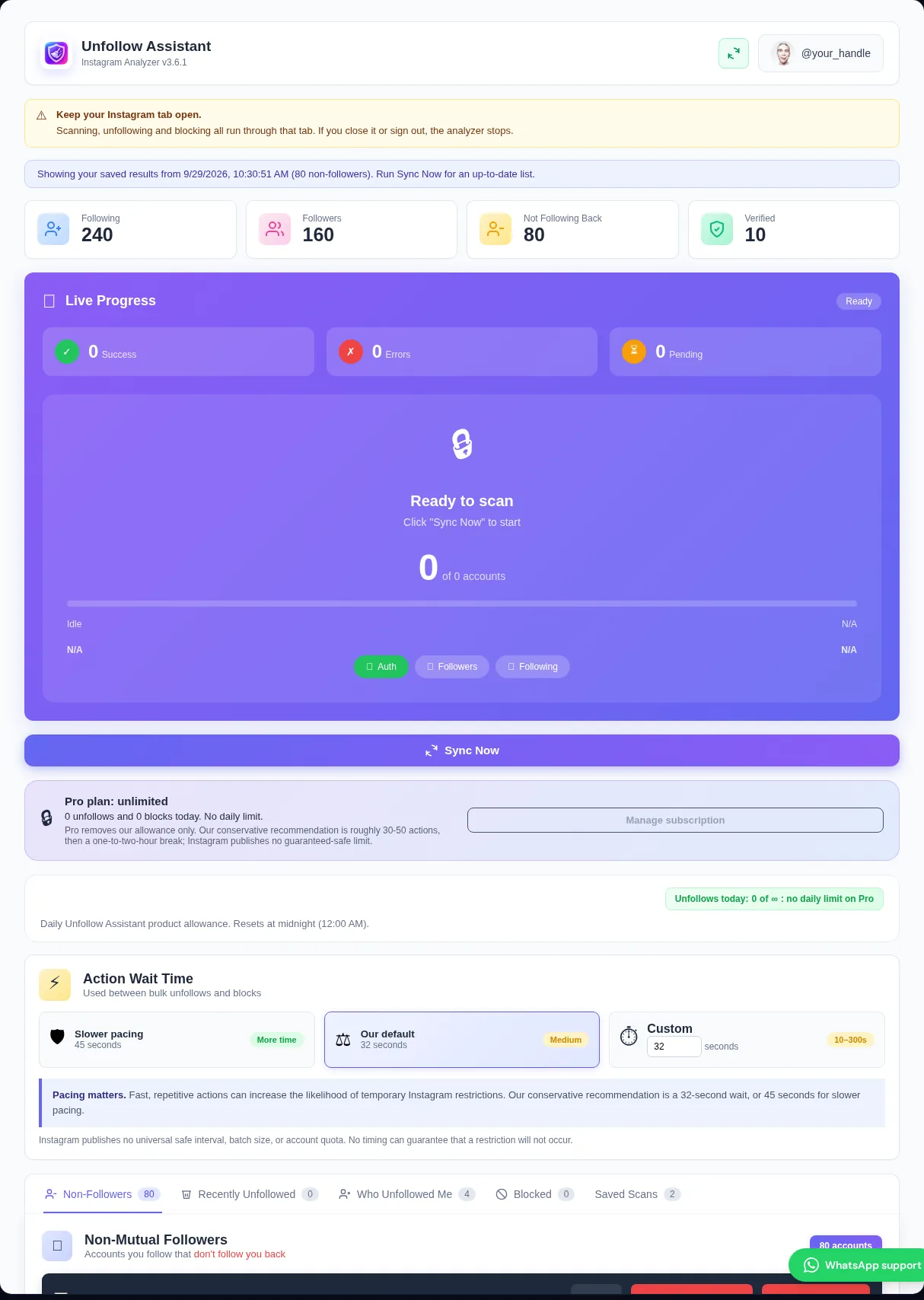
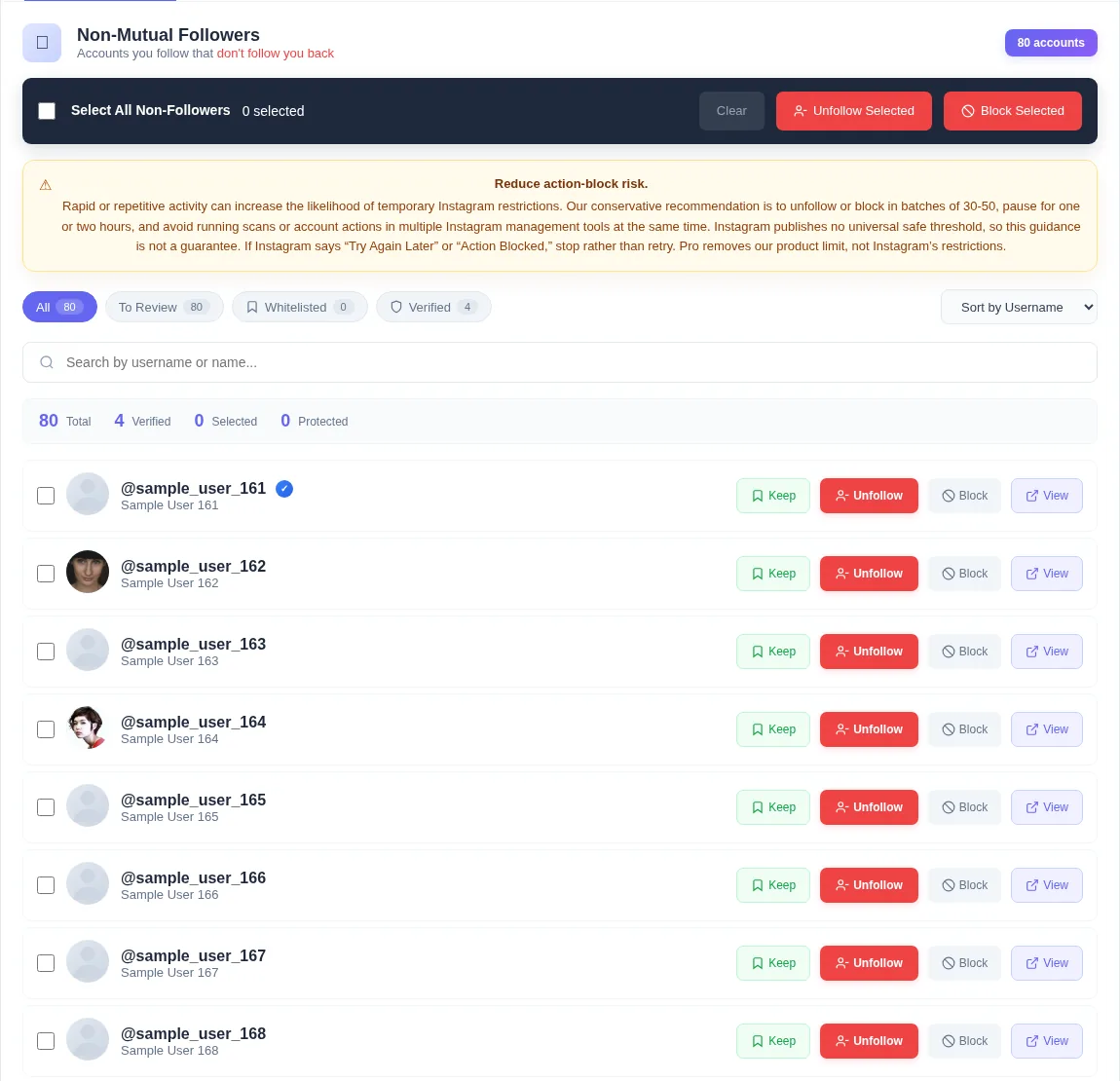
Explore the real extension screens with sample accounts. The preview shows the analyzer, filters, Keep controls, selection, and queue layout without touching Instagram.
Unfollow Assistant is a desktop Chrome extension, so the interactive preview is only available on a larger screen. Here is what it looks like in the meantime.
A non-follower is calculated by subtracting the complete followers list from the complete following list. If either list stops early, the result can be wrong and may label genuine followers as non-followers.
Unfollow Assistant waits for both lists to pass completion checks. If Instagram interrupts a scan, the previous completed result remains available and the unfinished scan is not promoted for unfollowing.
A broad non-follower list can include friends, useful creators, customers, or accounts you intentionally follow. Keep is the permanent exception list for those people.
The Instagram unfollow tool checks Keep when the selection is made and again before each queued action. Already unfollowed or blocked accounts are also excluded from later bulk selections.
The extension uses the Instagram account already open in desktop Chrome. It does not ask you to paste a password, session cookie, or private login token into another website.
Core scanning and Keep work locally without an Unfollow Assistant account. Signing in is optional and enables supported backup for protected accounts and successful block or unfollow history.
There are three common ways people try to find and remove Instagram non-followers, and they carry very different levels of risk and effort.
Password or cloud services ask for your Instagram login and then act from their own servers. That means handing your credentials to a third party and generating activity from an unfamiliar location, which is the pattern most likely to trigger a login challenge or account restriction.
Meta's own data download is safe, but you request a file from Instagram, wait hours or longer for it to be prepared, and then upload a ZIP to an analyzer. It is a snapshot, it goes stale quickly, and it cannot unfollow or block anything for you.
Unfollow Assistant is a local desktop Chrome extension. It reads your live followers and following lists through the Instagram session you are already signed into, keeps your data on your own computer, and then lets you unfollow or block selected accounts at a pace you control. No password is requested, no cloud scraping happens on your behalf, and no waiting for an export.
Free includes scanning, filters, Keep, selection, unfollowing, blocking, queue controls, saved local scans, and history. The Free plan allows 50 combined unfollow or block actions per day.
Pro removes the Unfollow Assistant daily action limit. It does not remove Instagram's own restrictions, so responsible batches and breaks are still necessary on every plan.
Both approaches use Instagram, but the preparation and control are different.
| Comparison | Unfollow Assistant | Manual Instagram cleanup |
|---|---|---|
| Finding non-followers | Compares completed lists and presents one searchable result | Requires checking profiles one at a time |
| Protecting exceptions | Keep list excludes chosen accounts from queues | Relies on remembering every exception |
| Larger selections | Select eligible non-followers, then review before starting | Repeat the same taps for every profile |
| Stopping work | Pause, resume, or stop from the queue bar | Stop manually and remember where you finished |
Instagram safety
Instagram can restrict accounts that take many actions quickly. Unfollow Assistant adds waits and stops when Instagram returns a recognized restriction, but no unfollow app can guarantee that an account will never be limited.
Our conservative recommendation is batches of roughly 30 to 50 with an hour or two between them. Instagram publishes no universal safe threshold. If Instagram shows Try again later, We restrict certain activity, or a similar warning, stop unfollowing and blocking; recovery time varies.
Read the action-block guideWhy a local extension avoids sharing your Instagram login.
Understand how completed list comparison finds people who do not follow you back.
Plan a larger cleanup with selection, Keep protection, batches, and queue controls.
See exactly what the controlled queue automates and what remains in your hands.
Install free, complete your first scan, and review the result before taking any action.