
Select All Non-Followers
Select every eligible current non-follower, excluding Keep and already actioned accounts.
Select Instagram non-followers in one click, protect exceptions, and work through a controlled queue instead of repeating every unfollow by hand.
Bulk selection saves manual work, while review, protection, and queue controls prevent it from becoming a blind one-click action.
Select every eligible current non-follower, excluding Keep and already actioned accounts.
Search, filter, inspect the total, and untick exceptions before a mass unfollow queue begins.
Protect important accounts locally, with a fresh check before every unfollow.
See the current account, next account, countdown, successful rows, and remaining work.
Control the run without losing the queue position or guessing where it ended.
Review successful unfollows and open profiles later when you need to reconsider an action.
Video guide
Watch the complete installation and first-scan walkthrough before using the Mass unfollow Instagram. It shows how to connect Instagram, complete both lists, review results, and keep the Instagram tab open while the extension works.
Step by step
Treat a large cleanup as several reviewed sessions, not one uncontrolled action burst.
Run Start Analysis and keep Instagram open until both lists pass completion checks.
Review the accounts you follow that do not currently follow you back.
Protect friends, creators, customers, and any account you intentionally follow before selecting the group.
Use the bulk selection, then search and untick accounts until the first batch is ready.
Our conservative recommendation is roughly 30 to 50 actions. Watch the queue and use pause or stop whenever needed.
Our conservative recommendation is an hour or two between sessions, but no schedule is guaranteed. Stop after any Instagram action warning.
Explore sample non-followers, Select All, Keep, the live countdown, completed account states, and queue controls.
Unfollow Assistant is a desktop Chrome extension, so the interactive preview is only available on a larger screen. Here is what it looks like in the meantime.
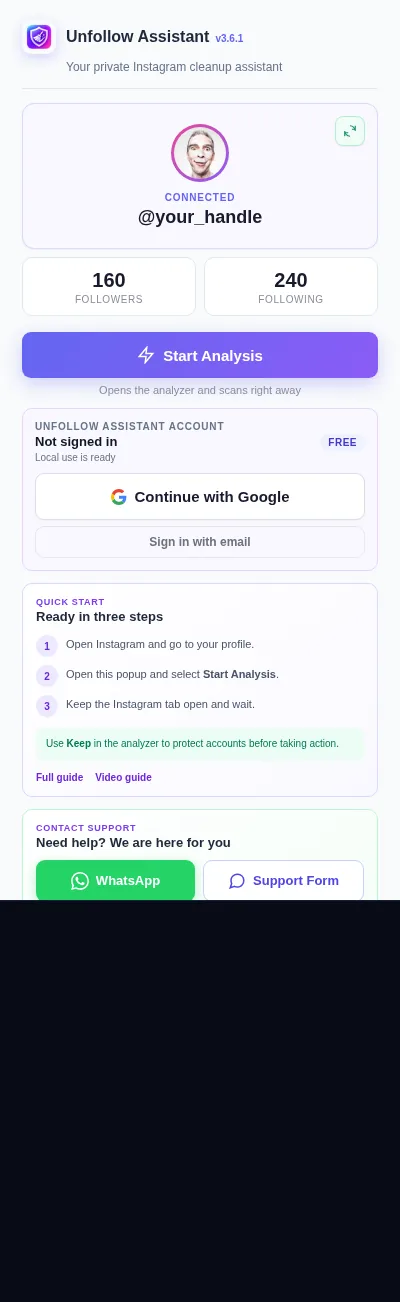
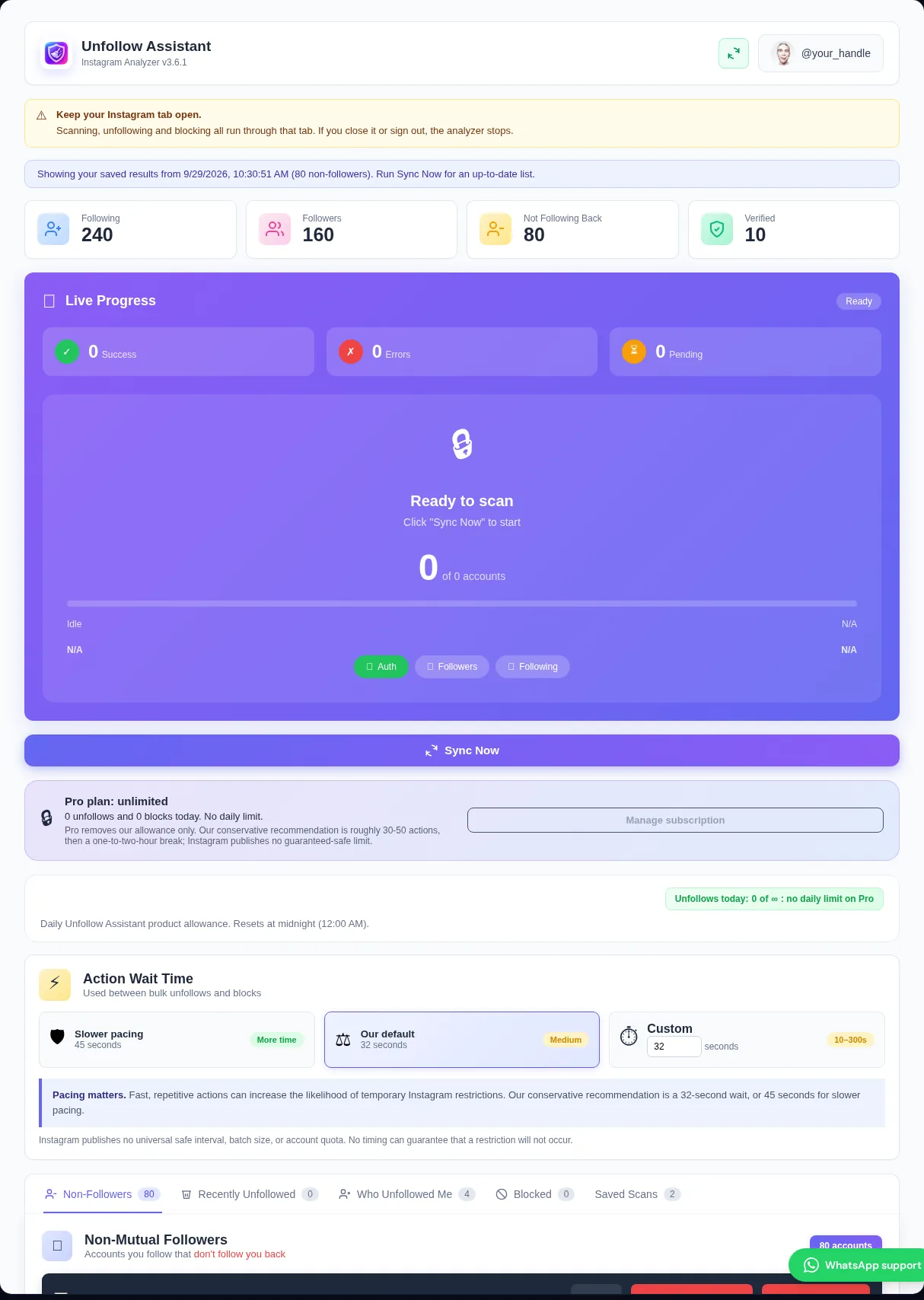
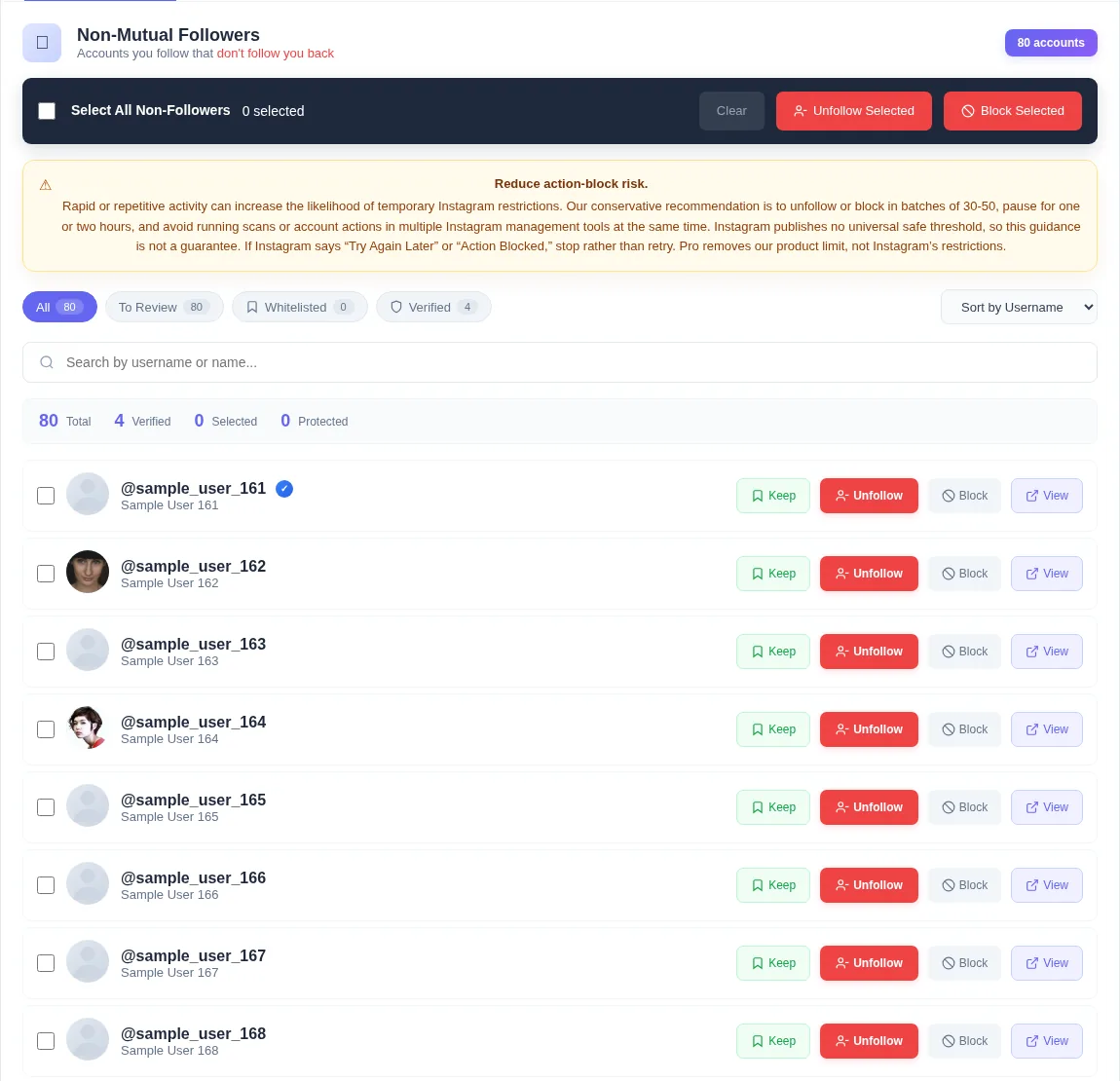
Instagram does not provide a native button to unfollow every non-follower at once. Third-party tools can reduce repetitive work, but a responsible tool should still let you review the list and should not pretend hundreds of instant actions are harmless.
Unfollow Assistant uses bulk selection followed by a one-at-a-time queue. You choose who is eligible and when the queue begins.
Non-followers can include accounts you intentionally follow for news, entertainment, work, friendship, or inspiration. A reciprocal follow is not the only reason to keep someone.
Apply Keep first, use Select All Non-Followers, and inspect the selection. The queue checks Keep again before every action so a newly protected account can be skipped before its turn.
Our conservative recommendation is to start with one complete scan, a careful Keep list, and a first group of roughly 30 to 50 accounts, followed by an hour or two away. This is guidance rather than an official or guaranteed-safe Instagram threshold.
A cleanup of hundreds or thousands of accounts should be spread across multiple sessions or days. Pro removes the product's daily limit but does not change Instagram's separate protections.
A single instant request to unfollow everyone removes review, increases mistakes, and encourages the kind of rapid activity Instagram may restrict. It also makes it easy to lose friends or valuable accounts.
The mass unfollow Instagram workflow is designed around selection and pacing. It saves repeated manual taps while keeping every session visible and stoppable.
When Instagram confirms an action, the account row changes to Unfollowed and is removed from pending queue markers. The action is added to local history, and signed-in users can use supported account-backed action history.
There is no automatic undo. If you change your mind, open the profile from history and decide whether to follow the account again through Instagram.
A controlled option is not always the fastest-looking option.
| Comparison | Controlled batch queue | Unfollow everyone at once |
|---|---|---|
| Selection | Review non-followers and protect exceptions | Little or no account-by-account review |
| Execution | One action at a time with visible waits | Attempts a large burst of actions |
| Controls | Pause, resume, stop, and live progress | Often difficult to interrupt |
| Mistakes | Keep and review reduce accidental unfollows | Higher chance of removing accounts you value |
Instagram safety
No extension can guarantee that Instagram will accept a particular number of actions. Account age, recent activity, past restrictions, and Instagram's changing systems can all affect limits.
Our conservative recommendation is roughly 30 to 50 actions followed by an hour or two away, not an official or guaranteed-safe Instagram threshold. If Instagram restricts activity, stop all unfollowing and blocking; recovery time varies, so retry only after ordinary actions work normally.
Read the action-block guideFind and remove ghost and inactive accounts in reviewed batches.
Understand the completed list used by Select All Non-Followers.
Review individual and selected unfollow features in more detail.
See how the paced queue, countdown, pause, resume, and stop controls work.
Install free, complete the lists, protect exceptions, and start with a reviewed group instead of everyone at once.