
Is It Safe to Use Unfollow Tools on Instagram?
What makes an unfollow tool risky, what to look for in a safer one, and the habits that protect your account whichever tool you use.

The honest answer is that any tool which acts on your Instagram account carries some risk, including doing it by hand very quickly. The difference between tools is how much extra risk they add. Here is how to tell.
Red flags to avoid
Be careful with any service that:
- Asks for your Instagram password.
- Logs in to your account from its own servers.
- Asks you to paste cookies or session codes.
- Promises unlimited or instant unfollows with no risk.
- Offers to follow or like on your behalf automatically.
If a service has your password, it can do anything with your account, and Instagram may see a login from an unfamiliar location. That is the single biggest risk.
How Unfollow Assistant is built
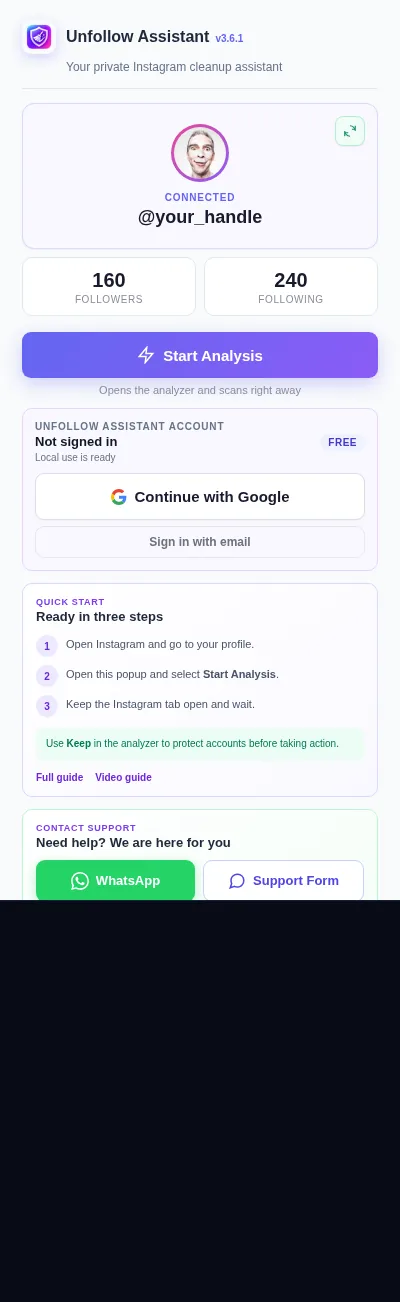
Unfollow Assistant runs as a Chrome extension inside your own Instagram tab. It uses the session you are already signed in with and never asks for your password. Every action happens from your own browser at a paced speed, and you review every account before anything is removed.
That design reduces risk, but it does not remove it. Instagram sets its own limits and does not publish them.
Habits that protect your account
Whatever tool you use, these habits matter most:
- Consider our conservative recommendation of roughly 30 to 50 actions followed by an hour or two away; Instagram publishes no guaranteed-safe threshold.
- Spread large cleanups over several days.
- Stop right away if Instagram shows "Try again later" or "Action blocked".
- Do not switch VPN locations while running actions.
- Keep two-factor authentication turned on.
What happens if Instagram pushes back
Instagram may show a warning that it limits how often you can do certain things. Unfollow Assistant detects common versions and stops the queue. Stop rather than repeatedly retrying, and restart with a very small batch only after ordinary activity works again; recovery time varies.

Frequently asked questions
Review your list the calm way
Unfollow Assistant is free, works in your own Instagram tab, and never asks for your password.
Keep reading

How to Spot Fake and Inactive Accounts on Instagram
Clear signs of bots, spam, and abandoned accounts, and what to do about them on your followers and following lists.
Read article: How to Spot Fake and Inactive Accounts on Instagram
How to Clean Up Your Instagram Following
A practical, step-by-step routine for reviewing who you follow, protecting the accounts that matter, and removing the rest at a deliberate pace.
Read article: How to Clean Up Your Instagram Following
What Non-Followers Really Mean for Your Engagement
An honest look at non-followers, follower ratios, and engagement, and why cleaning your list is about control rather than a growth hack.
Read article: What Non-Followers Really Mean for Your Engagement